
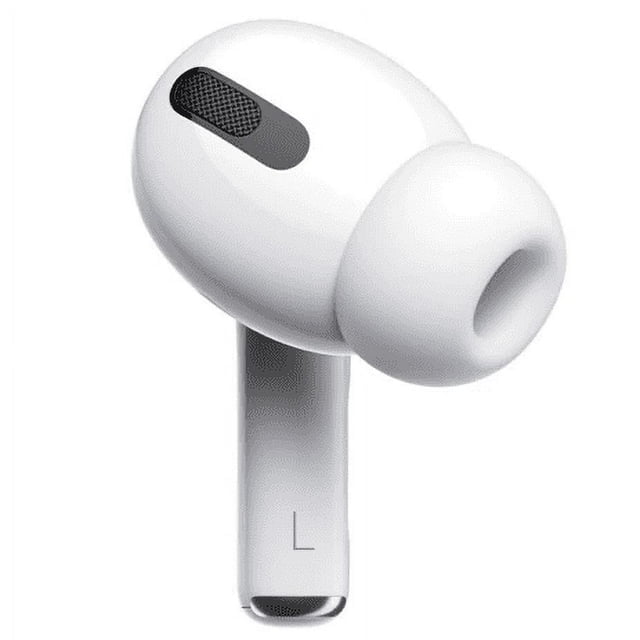

Apple Airpods Pro (1st Generation) Left Replacement AirPods (Left Side Only) – Certified Refurbished
|4

Apple Airpods Pro (1st Generation) Left Replacement AirPods (Left Side Only) – Certified Refurbished

EditionLeft Side

Key item features

How to Pair a Replacement Right AirPod (AirPods Pro 1st gen)

Put BOTH AirPods in the case

  • Place your working Right AirPod and the replacement right AirPod into the charging case.
  • Make sure the case has some battery.


    Reset the AirPods

This step is important so they sync together.

  • Open the lid of the AirPods case
  • On the back of the case, press and hold the setup button
  • Keep holding for about 15 seconds
  • Release when the status light flashes amber, then white
  •  This resets and links both earbuds together.

    Reconnect to your iPhone
  • Keep the AirPods inside the open case
  • Hold the case close to your iPhone
  • A setup animation should pop up
    Follow any on-screen instructions
  • Tap Connect


  Test both earbuds

  • Put both AirPods in your ears
  • Play music or a video
  • Make sure sound comes from both left and right


Important notes

  • The replacement must be AirPods Pro 1st generation (AirPods 1st gen,2nd, 3rd or Pro 2d Gen won’t sync)
  • Mixing generations will not work
  • Firmware will update automatically once paired

Shop Confidently

Membership that delivers.TM
Try it freeTry it free
Current price is $88.99
Price when purchased online
4 biweekly payments of $22.25 withbnpl

Seller delivery for $14.99, arrives by Wed, Oct 28 to
Sold and shipped by Cellular Connections
Return policy

More seller options (1)

Starting from $89.99