

PS3 controllers(35)
Discover our selection of PS3 controllers and choose from a wide range of colors and styles.




FAQ - PS3 Controllers
What are the buttons on a PS3 controller?
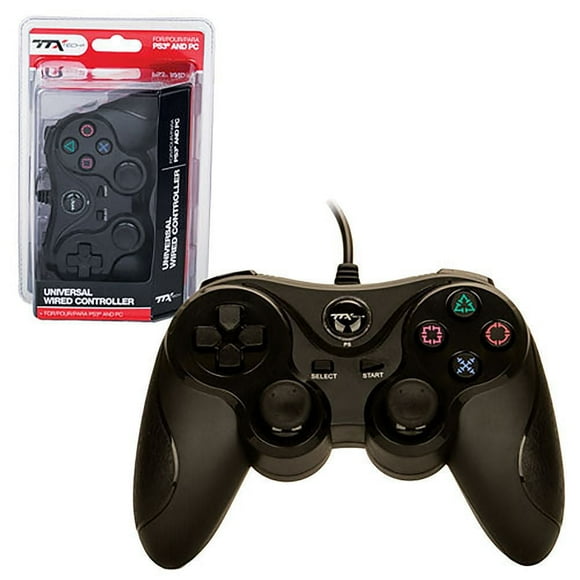
standard PS3 controller, also called the Sixaxis or DualShock 3, features a familiar button layout. It includes four face buttons: Triangle (△), Circle (○), Cross (×), and Square (□), used for in-game actions. There are two analog sticks, which can also be pressed as L3 and R3 buttons. The controller has a D-pad for directional input, four shoulder buttons: L1, L2, R1, and R2 for additional actions, and a Start and Select button for menus. A PS button sits in the center to access the system menu or turn the console on/off. Vibration motors enhance gameplay feedback.
How to use a PlayStation 3 controller?
Using a PlayStation 3 controller is straightforward. First, charge it fully via the USB cable. To connect to the console, press the PS button in the center; the controller will pair automatically using Bluetooth. For wired play, keep it connected via USB. Use the analog sticks or D-pad to move characters, and the face buttons (Triangle, Circle, Cross, Square) to perform actions. The shoulder buttons (L1, L2, R1, R2) handle additional functions. Adjust settings like vibration or controller sensitivity through the PS3 menu. Multiple controllers can be paired for multiplayer games, up to seven simultaneously.
Do PS3 controllers have vibration feedback?
Yes, most PlayStation 3 controllers, especially the DualShock 3 models, feature vibration feedback, also called rumble. This function enhances gameplay by providing physical feedback during actions like explosions, collisions, or other in-game events. The vibration is powered by small motors inside the controller that activate in response to game signals. Not all early Sixaxis controllers had this feature, as Sixaxis was primarily motion-sensing without rumble. Vibration intensity and duration are controlled by the game itself, and players can adjust vibration settings in the PS3 menu under Accessory Settings → Controller Vibration Function, allowing for a more customized gaming experience.