New customer offer!
Get 30 days FREE*Get 30 days FREE*

Why you'll love Delivery Pass

*Best New Product

Free same-day delivery

No price markups
Delivery Pass benefitDelivery Pass benefit

Frequently asked questions
What is Walmart Delivery Pass?
What types of Delivery Pass plans are available?
How does Walmart Delivery Pass work?
Is there a minimum order amount when I order through Walmart Delivery Pass?
Is a free trial available?
What are my delivery options?
Can I switch to a different Delivery Pass plan after sign up?
1. Go to your Account page
2. Select Manage your subscription
3. Choose the Annual plan and confirm
How do I cancel my Delivery Pass plan?
On the app:
1. Go to 'Account'.
2. Click on 'Subscriptions & plans' & then 'Walmart Delivery Pass'.
3. On the 'Manage subscription' page, click on the 'Cancel subscription' link at the bottom.
What are the limitations of the Delivery Pass?
Where can I manage my Delivery Pass plan?
On the app: 1. Go to 'Account'.
2. Click on 'Subscriptions & plans' & then 'Walmart Delivery Pass'.
3. Manage your plan on the 'Manage subscription' page.
Can I use my Walmart Delivery Pass for more than one account?
Who do I contact for help with my Delivery Pass plan?
What forms of payment can I use to subscribe to Delivery Pass?
How do I update my payment method?
On the app:
1. Go to 'Account'.
2. Click on 'Subscriptions & plans' & then 'Walmart Delivery Pass'.
3. On 'Manage subscription' page, click on 'edit' in the 'Payment method' section.
Will I receive a receipt after signing up?
Why was my membership charged to a different card?
If you need assistance, you can contact Customer Care at (800)-328-0402.
Can I reactivate my cancelled Delivery Pass plan?
On the app:
1. Go to 'Account'.
2. Click on 'Subscriptions & plans' & then 'Walmart Delivery Pass'.
3. Reactivate your subscription on the 'Manage subscription' page.
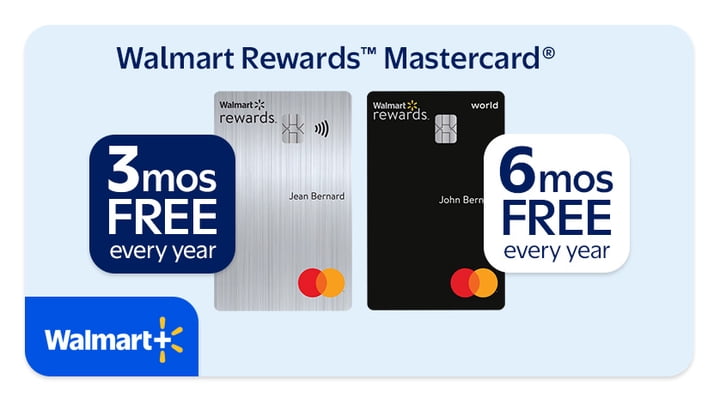
Walmart Rewards™ Mastercard® Delivery Pass benefit
Terms & conditions